Atlas Visualization with Optimal Colours
Source:vignettes/atlas-visualization.Rmd
atlas-visualization.RmdEvery atlas in neuroatlas can be visualised with a single call to
plot(). Behind the scenes, plot.atlas()
renders coloured parcels as volumetric slices using
neuroim2’s plot_montage() and
plot_ortho(), with colours assigned automatically by the
roi_colors system.
Quick Start
atlas <- get_aseg_atlas()
plot(atlas)
#> ℹ `zlevels` are read as voxel indices; panels are labelled in mm.
#>   Pass `unit = "mm"` to give positions in world coordinates.
#> This message is displayed once every 8 hours.
The default view is a multi-slice montage (axial
slices) with colours chosen by the rule_hcl algorithm — a
fast, deterministic palette that uses network hues and hemisphere
luminance differences.
For a three-plane orthogonal view:
plot(atlas, view = "ortho")
Region legends
By default no legend is drawn — for a 400-region cortical
parcellation it would be useless. But for small atlases (subcortical,
MTL, a handful of ROIs) a colour legend is genuinely helpful. Pass
legend = TRUE to add one below a montage; labels appearing
in both hemispheres are disambiguated with
(L)/(R):
plot(atlas, legend = TRUE) # ASEG has 17 regions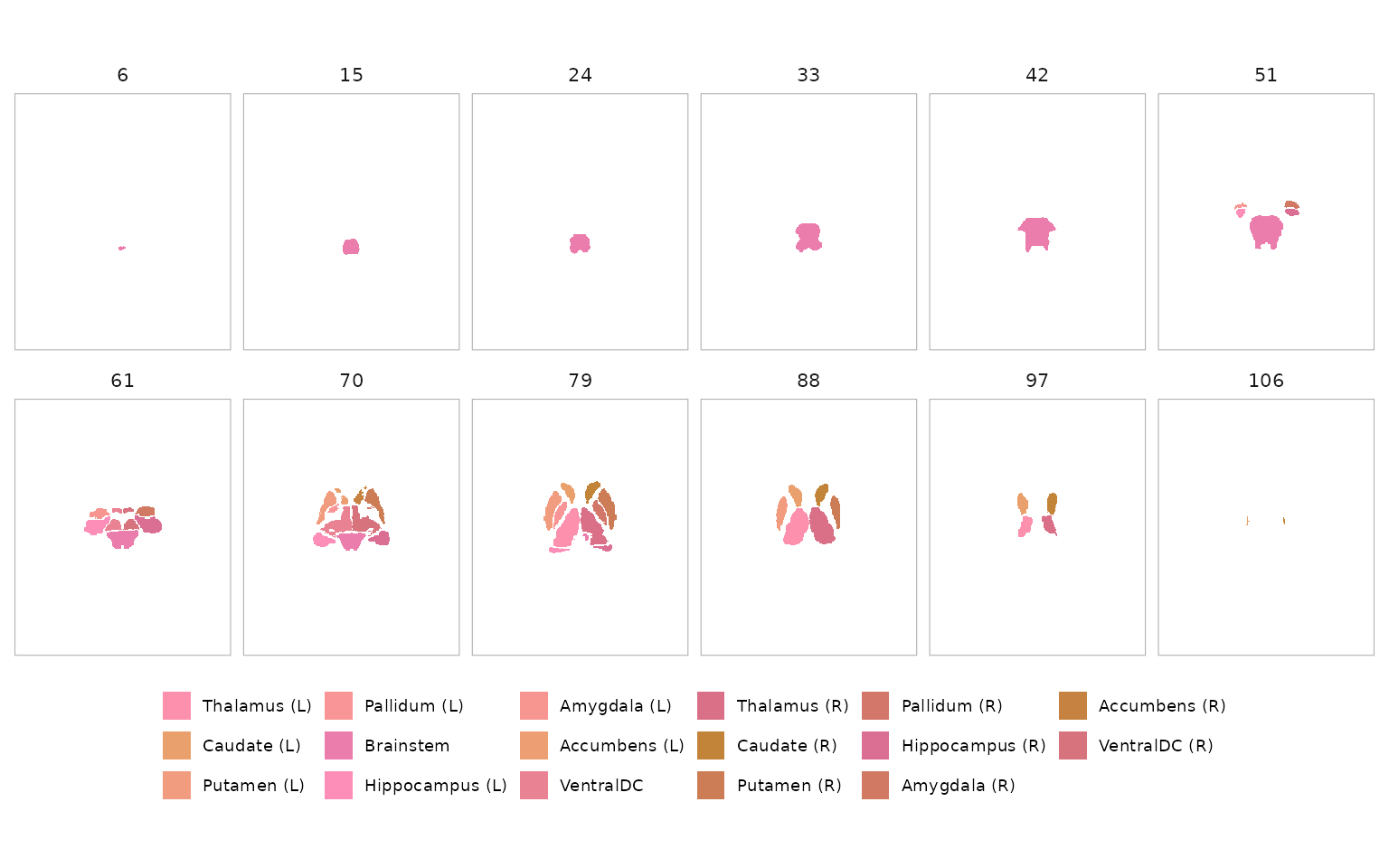
The legend is capped by legend_max (default 30). A
request above that limit emits a warning and omits the legend; raise
legend_max to override. Legends are drawn for montage
views, not orthogonal views whose planes contain different subsets of
regions.
Colour Algorithms
neuroatlas ships four colour algorithms, each suited to different use
cases. Pass the method argument to plot() to
switch between them.
rule_hcl (default)
Deterministic and fast. Assigns hues per network with anterior-posterior gradients and hemisphere luminance offsets.
plot(atlas, method = "rule_hcl", nslices = 8)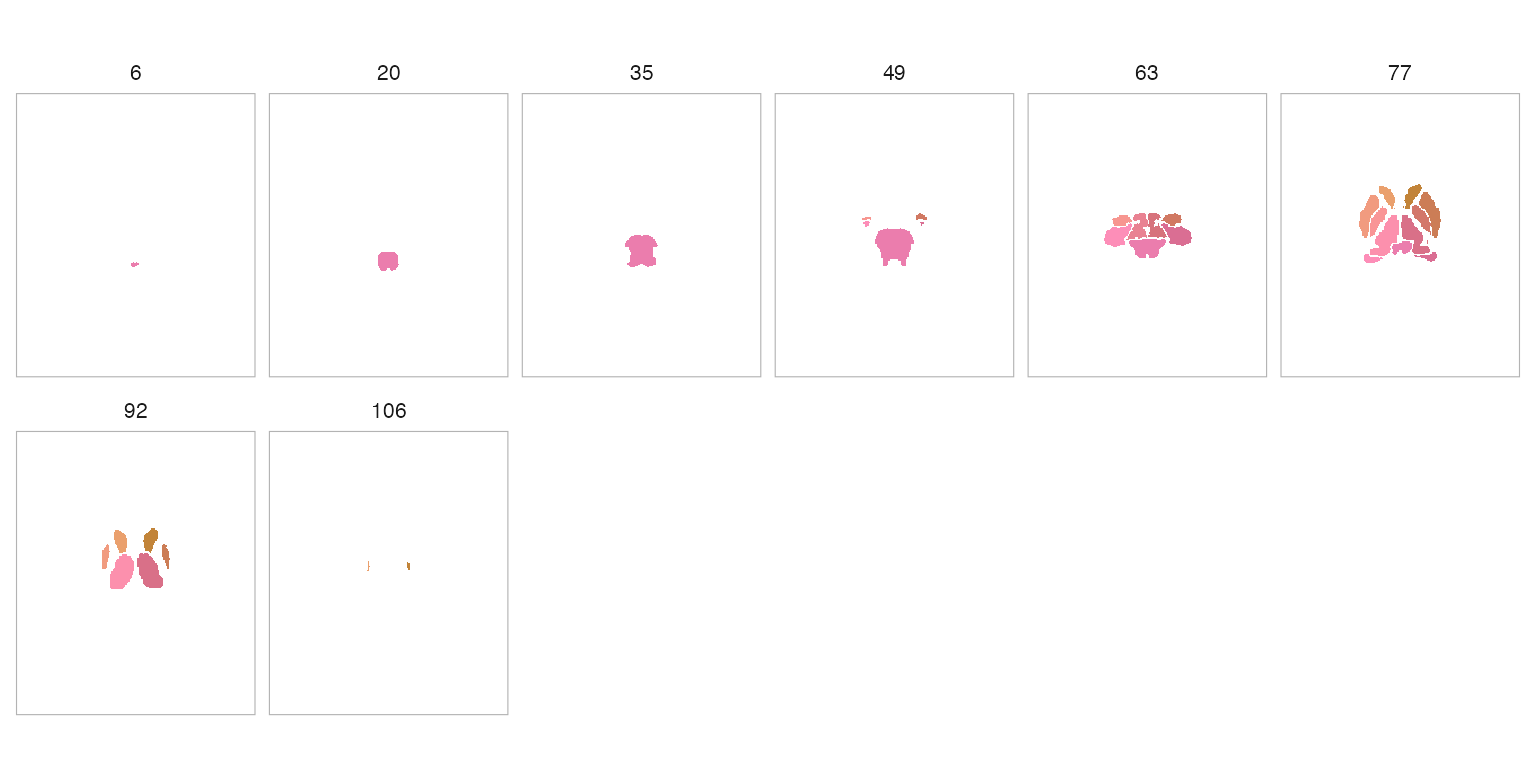
maximin_view
Optimises perceptual separation between spatially neighbouring ROIs across slice views. Best for publication figures where adjacent parcels must be easily distinguished.
plot(atlas, method = "maximin_view", nslices = 8)
network_harmony
Network-aware: ROIs in the same network share analogous hue families
while still maximising local separation. Requires the atlas to have a
$network field (e.g. Schaefer atlases).
# Requires a Schaefer atlas with network metadata (network download)
schaefer <- get_schaefer_atlas(parcels = "200", networks = "7")
plot(schaefer, method = "network_harmony", nslices = 8)
embedding
Projects ROI features to 2D (PCA or UMAP) and maps polar angle to hue, yielding globally structured gradients.
plot(atlas, method = "embedding", nslices = 8)
Custom Colours
You can supply your own colours as a named character vector (names
are region IDs) or as a tibble from atlas_roi_colors().
Named vector
my_cols <- setNames(rainbow(length(atlas$ids)), atlas$ids)
plot(atlas, colors = my_cols, nslices = 6)
Pre-computed tibble
color_tbl <- atlas_roi_colors(atlas, method = "maximin_view")
head(color_tbl)
#> # A tibble: 6 × 2
#>      id color
#>   <int> <chr>
#> 1    10 #14E2C6
#> 2    11 #EEB8C7
#> 3    12 #A8C3E3
#> 4    13 #F6BA4F
#> 5    16 #81C2FF
#> 6    17 #87CCBE
plot(atlas, colors = color_tbl, nslices = 6)
Programmatic Colour Access
The atlas_roi_colors() function is the bridge between
atlas objects and the roi_colors_*() family. It extracts
ROI centroids, builds a metadata tibble, and dispatches to the requested
algorithm.
cols <- atlas_roi_colors(atlas, method = "rule_hcl")
cols
#> # A tibble: 17 × 2
#>       id color
#>    <int> <chr>
#>  1    10 #FC90AD
#>  2    11 #EAA06D
#>  3    12 #F19B7F
#>  4    13 #F99596
#>  5    16 #EB7DAD
#>  6    17 #FD8EB8
#>  7    18 #F79690
#>  8    26 #ED9E73
#>  9    28 #E98292
#> 10    49 #D97088
#> 11    50 #C28439
#> 12    51 #CC7D56
#> 13    52 #D3776A
#> 14    53 #DA6E93
#> 15    54 #D17963
#> 16    58 #C58241
#> 17    60 #D7737C
This tibble can be joined with other atlas metadata for downstream analyses.
Controlling Slice Count
Use nslices to control how many slices appear in the
montage:
plot(atlas, nslices = 4)
Surface Figures with Layout Control
For cortical surface atlases, plot_brain() gives you
direct control over the static figure layout. You can move the colorbar,
add figure titles, and replace the default facet labels without
assembling the figure by hand afterward.
surf_atl <- schaefer_surf(
  parcels = 200,
  networks = 7,
  space = "fsaverage6",
  surf = "inflated"
)

surf_vals <- seq(-2, 2, length.out = length(surf_atl$ids))

plot_brain(
  surf_atl,
  vals = surf_vals,
  views = c("lateral", "medial"),
  interactive = FALSE,
  style = "ggseg_like",
  colorbar = "bottom",
  colorbar_title = "Standardized effect",
  title = "Parcel-level summary on fsaverage6",
  subtitle = "Bottom colorbar plus concise panel labels",
  panel_labels = c(
    "Left Lateral" = "LH lateral",
    "Right Lateral" = "RH lateral",
    "Left Medial" = "LH medial",
    "Right Medial" = "RH medial"
  )
)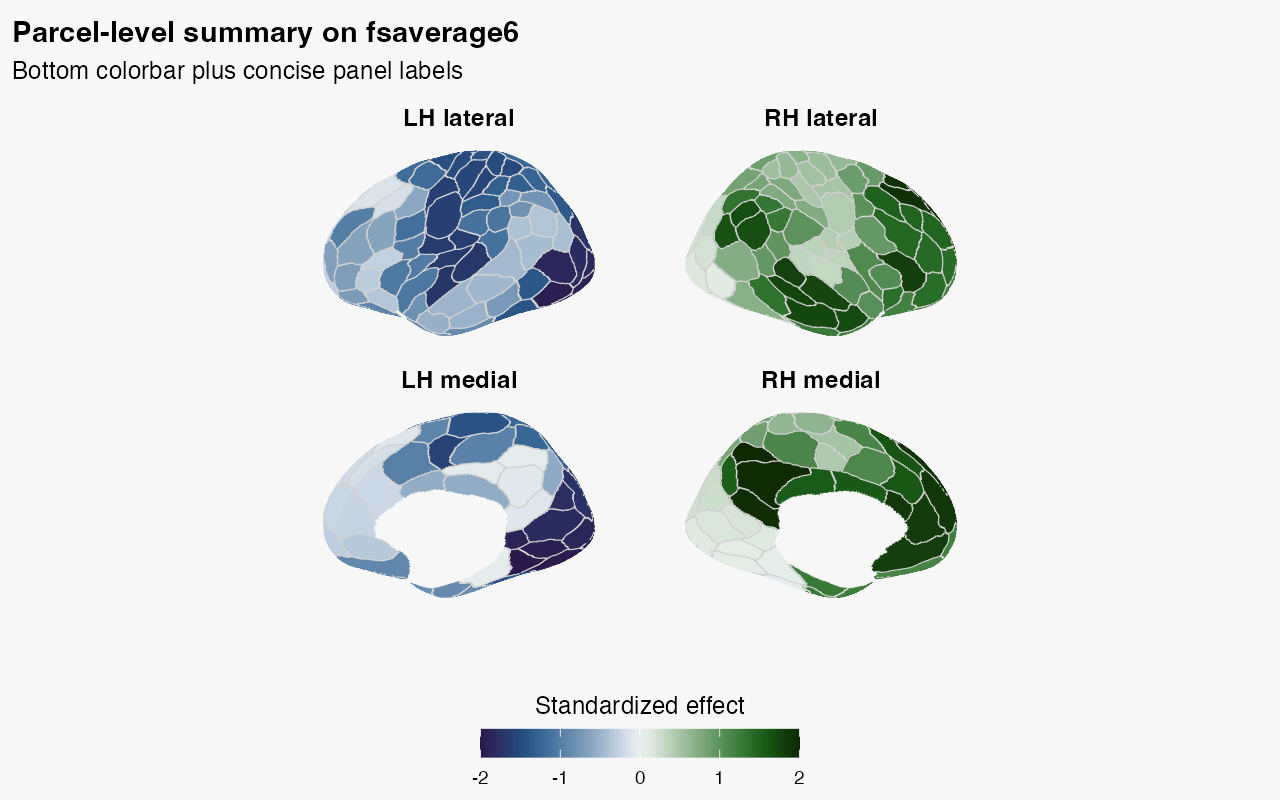
Because this example mixes lateral and medial views, each short label
retains both hemisphere and view. For a dedicated guide to multi-panel
layout, shared legends, and the default hemisphere-orientation
convention, see
vignette("surface-panels", package = "neuroatlas").
Which entry point should you use?
Use plot() for volume atlases and
plot_brain() for surface atlases. The older ggseg helpers
are migration paths: ggseg_schaefer() is deprecated and
plot_glasser() has been removed with a stop-level
deprecation. New code should load a surface atlas with
schaefer_surf() or glasser_surf() and pass it
to plot_brain().