Plots one or more HRF objects on shared axes. Multi-basis HRFs are
expanded into one curve per basis function, so plot_hrfs(HRF_SPMG3)
shows the canonical response and both derivatives. Uses ggplot2 when
available, otherwise base graphics. Colours come from hrf_palette().
Usage
plot_hrfs(
  ...,
  time = NULL,
  normalize = FALSE,
  labels = NULL,
  title = NULL,
  subtitle = NULL,
  use_ggplot = TRUE,
  draw = TRUE,
  basis = c("all", "first"),
  layout = c("overlay", "stack"),
  palette = c("auto", "categorical", "ordered"),
  reference = NULL,
  reference_label = NULL,
  scales = c("free_y", "fixed")
)
Arguments
- ...
HRF objects to compare. Can be passed as individual arguments or as a named list.
- time
Numeric vector of time points. If NULL (default), uses seq(0, max_span, by = 0.1) where max_span is the maximum span across all HRFs.
- normalize
Logical; if TRUE, normalize all HRFs to peak at 1. Useful for comparing shapes regardless of amplitude. Default is FALSE.
- labels
Character vector of labels, either one per HRF or one per plotted curve (after basis expansion). If NULL (default), uses the 'name' attribute of each HRF; basis functions of a single basis set are labelled
B1,B2, and so on.- title
Character string for the plot title. If NULL (default), uses the HRF name for a single HRF and "HRF comparison" otherwise.
- subtitle
Character string for the plot subtitle. If NULL (default), no subtitle is shown.
- use_ggplot
Logical; if TRUE and ggplot2 is available, use ggplot2 for plotting. If FALSE, use base R graphics. Default is TRUE.
- draw
Logical; draw the plot (default TRUE). With
use_ggplot = TRUE, set FALSE to customize the returned data frame's"plot"attribute.- basis
Either
"all"(default) to plot every basis function of a multi-basis HRF, or"first"to plot only its first column.- layout
Either
"overlay"(default) to draw all curves in one panel or"stack"to give each curve its own panel on a shared time axis.- palette
Colour palette:
"auto"(default) uses the ordered palette for a single basis set with more than three functions and the categorical palette otherwise;"categorical"or"ordered"force one (seehrf_palette()). Use"ordered"when the HRFs differ along one parameter (lag, width).- reference
Optional HRF drawn as a dashed grey reference curve (for example the canonical HRF), outside the colour legend. It is evaluated on the same time grid and normalized like the other HRFs.
- reference_label
Text naming the reference curve, shown as a caption. Defaults to the reference HRF's name.
- scales
For
layout = "stack":"free_y"(default) or"fixed"(one shared y range).
Value
A data frame in long format with columns 'time', 'HRF', and
'response'. With ggplot2, the plot is stored in the "plot" attribute.
The value is invisible except when drawing inside knitr, where it prints
like a ggplot object: it is drawn when it is the visible value of a chunk
(not when assigned), and subsetting or modifying it, or calling
as.data.frame(), returns a plain data frame. Call as.data.frame()
before combining results with rbind() or dplyr verbs.
Details
Inside a knitr document the result is returned visibly and printed by knitr, which lets document themes (for example dark-mode figure twins) handle the ggplot. At the console the plot is drawn immediately and the data are returned invisibly.
Examples
# Compare canonical HRFs
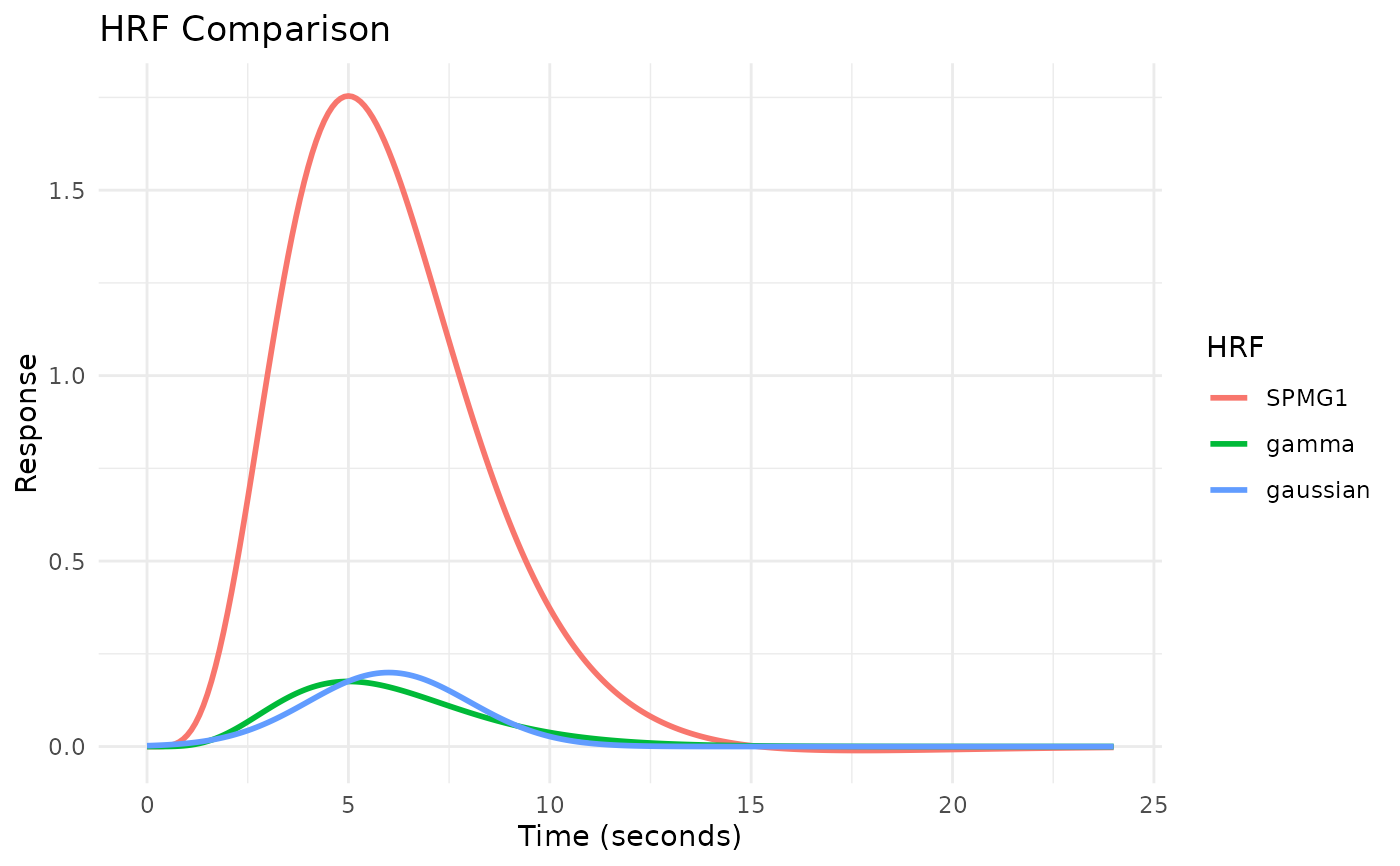
plot_hrfs(HRF_SPMG1, HRF_GAMMA, HRF_GAUSSIAN)
 # A basis set: one curve per basis function
plot_hrfs(HRF_SPMG3,
labels = c("Canonical", "Temporal derivative", "Dispersion derivative"))
# A basis set: one curve per basis function
plot_hrfs(HRF_SPMG3,
labels = c("Canonical", "Temporal derivative", "Dispersion derivative"))
 # HRFs ordered by a parameter use the ordered palette
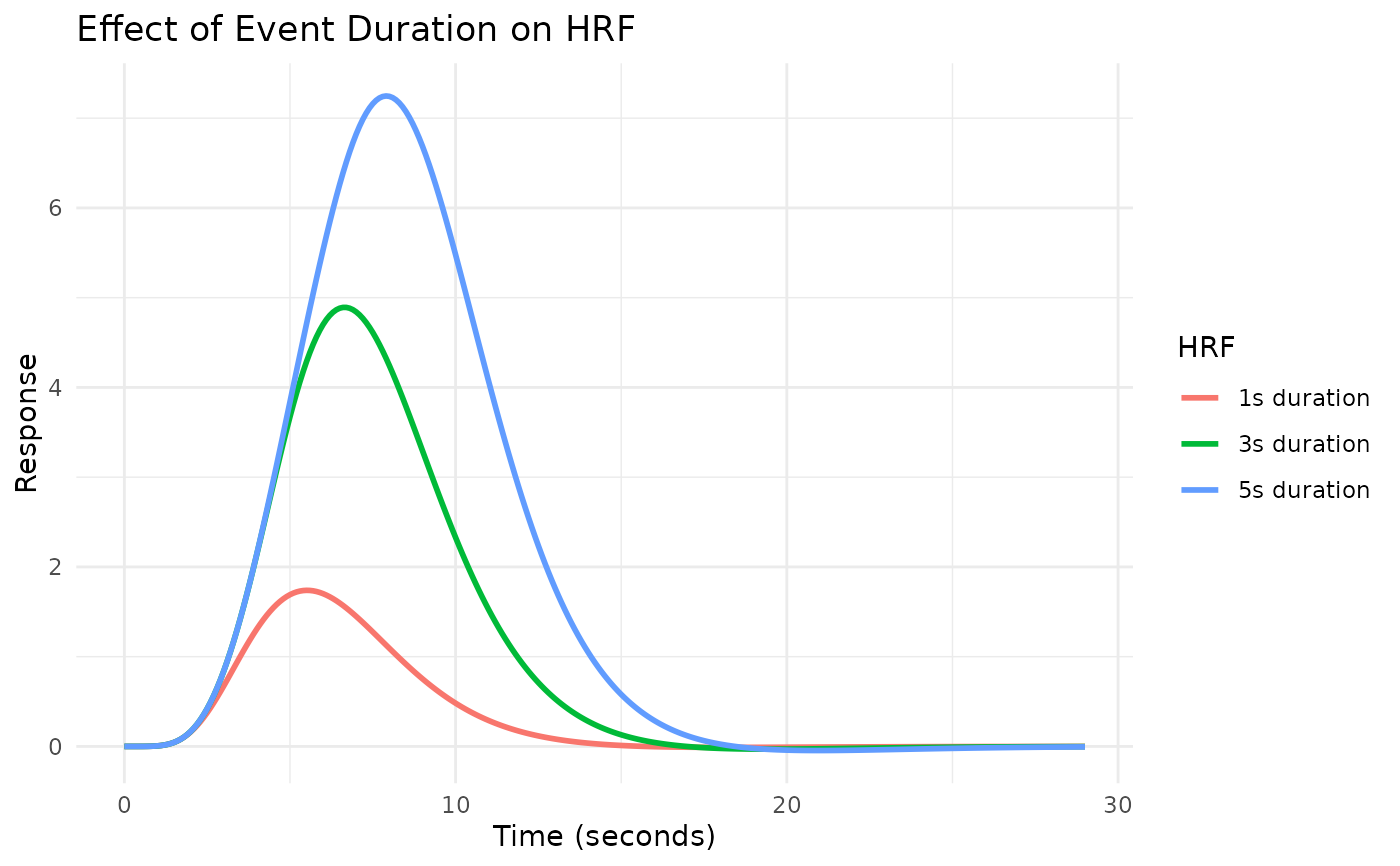
plot_hrfs(block_hrf(HRF_SPMG1, width = 1), block_hrf(HRF_SPMG1, width = 3),
block_hrf(HRF_SPMG1, width = 5),
labels = c("1 s", "3 s", "5 s"), palette = "ordered",
title = "Effect of event duration")
# HRFs ordered by a parameter use the ordered palette
plot_hrfs(block_hrf(HRF_SPMG1, width = 1), block_hrf(HRF_SPMG1, width = 3),
block_hrf(HRF_SPMG1, width = 5),
labels = c("1 s", "3 s", "5 s"), palette = "ordered",
title = "Effect of event duration")
 # Normalize for shape comparison
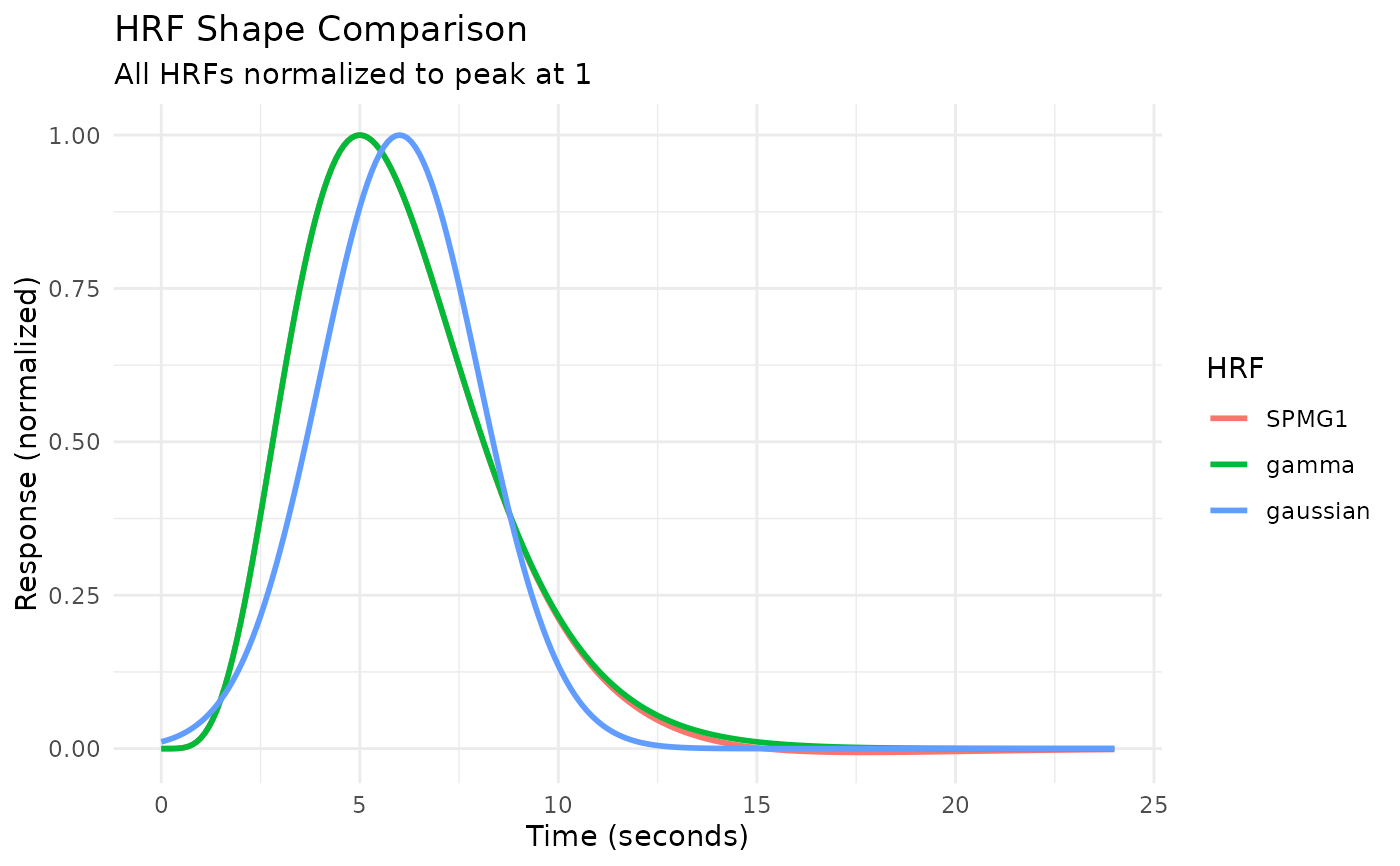
plot_hrfs(HRF_SPMG1, HRF_GAMMA, HRF_GAUSSIAN, normalize = TRUE,
subtitle = "All HRFs normalized to peak at 1")
# Normalize for shape comparison
plot_hrfs(HRF_SPMG1, HRF_GAMMA, HRF_GAUSSIAN, normalize = TRUE,
subtitle = "All HRFs normalized to peak at 1")
 # Use base R graphics instead of ggplot2
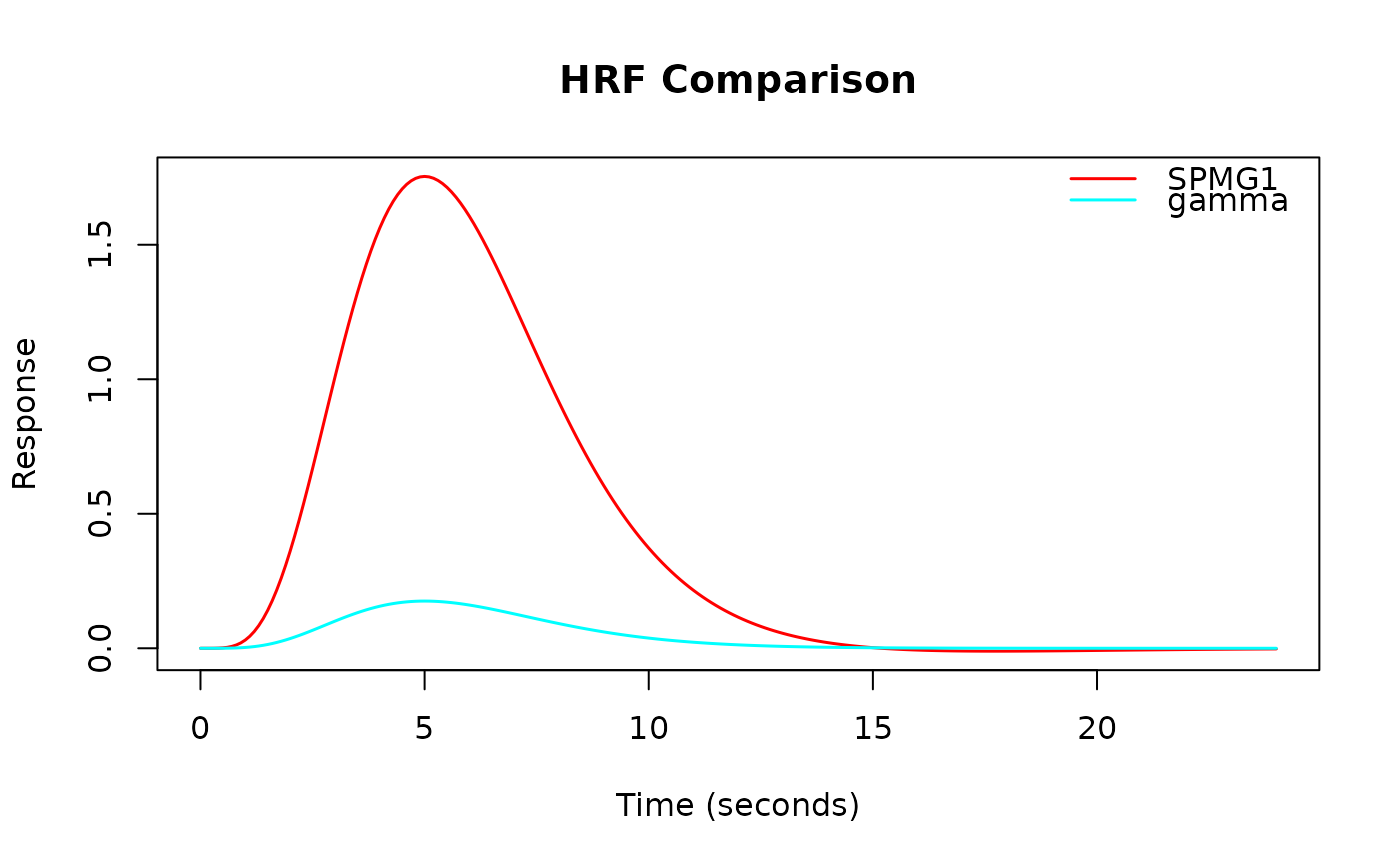
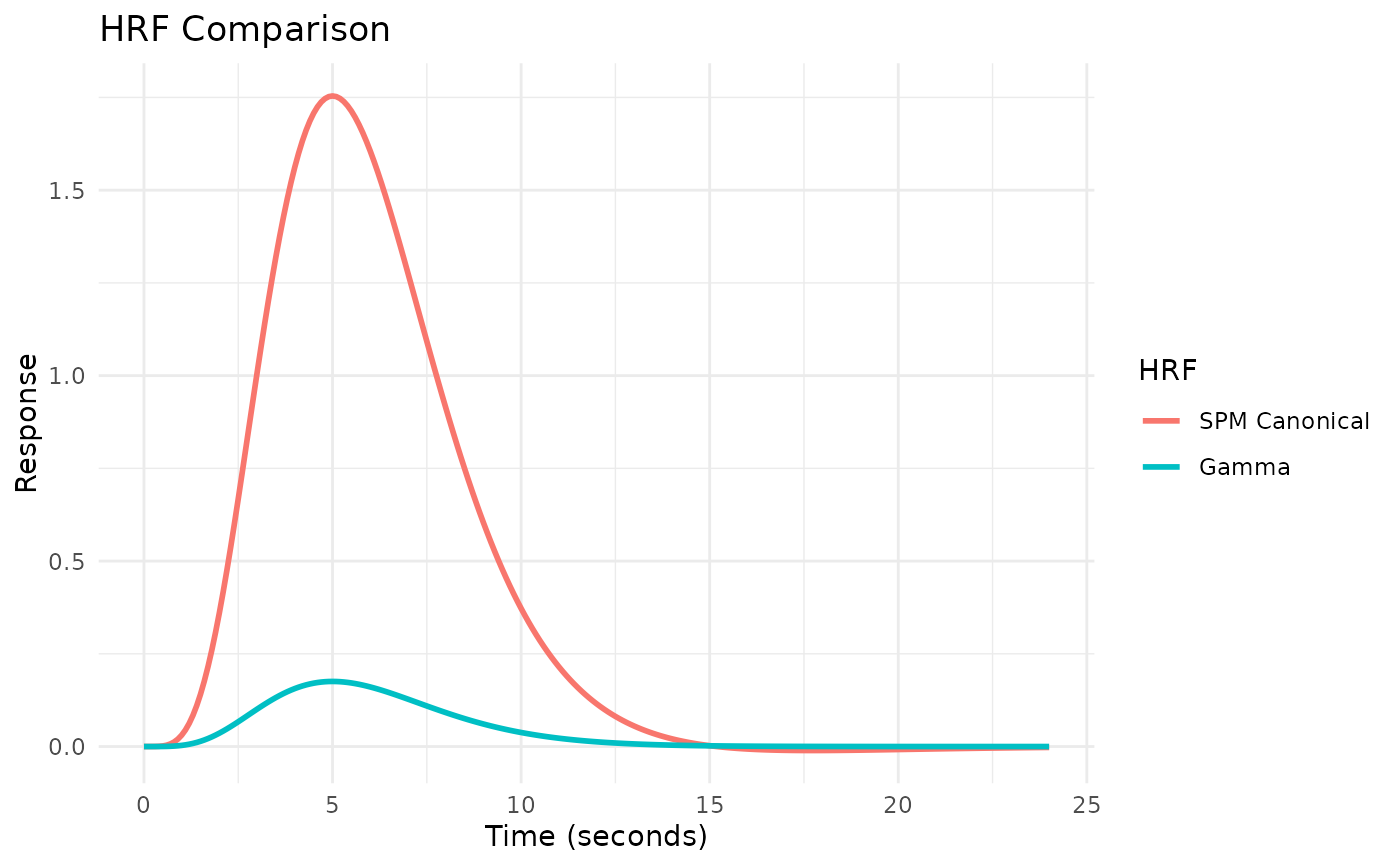
plot_hrfs(HRF_SPMG1, HRF_GAMMA, use_ggplot = FALSE)
# Use base R graphics instead of ggplot2
plot_hrfs(HRF_SPMG1, HRF_GAMMA, use_ggplot = FALSE)